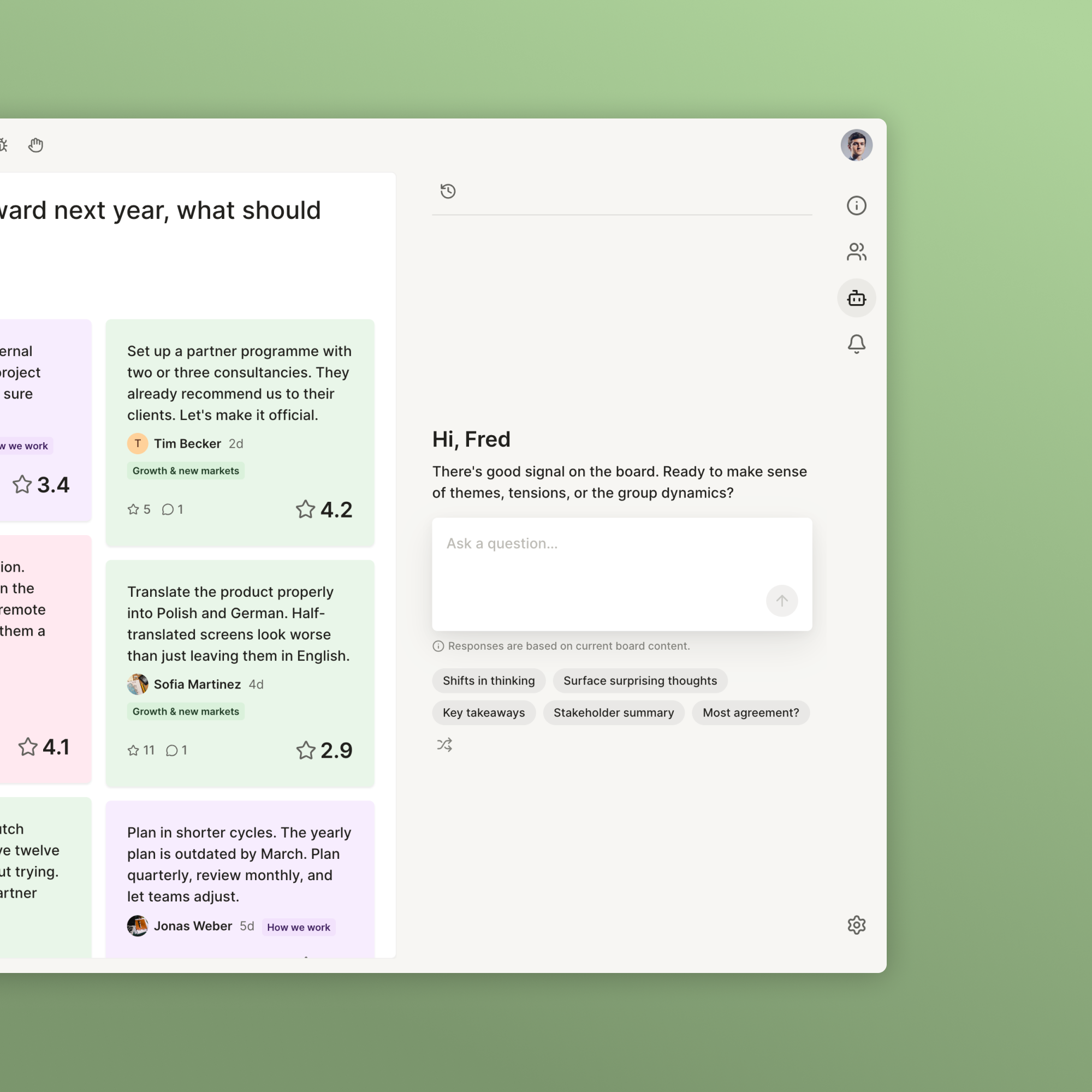
A co-facilitation assistant
On teaching AI to read the room
What started out as a simple synthesis feature in 2025, we’ve developed into a co-facilitator, working alongside users to set up and moderate large-group co-creation sessions in 2026. It boosted user activation and reduced our time on hands-on customer support.
- Systems Thinking
- AI Prototyping
- Context Engineering
Context
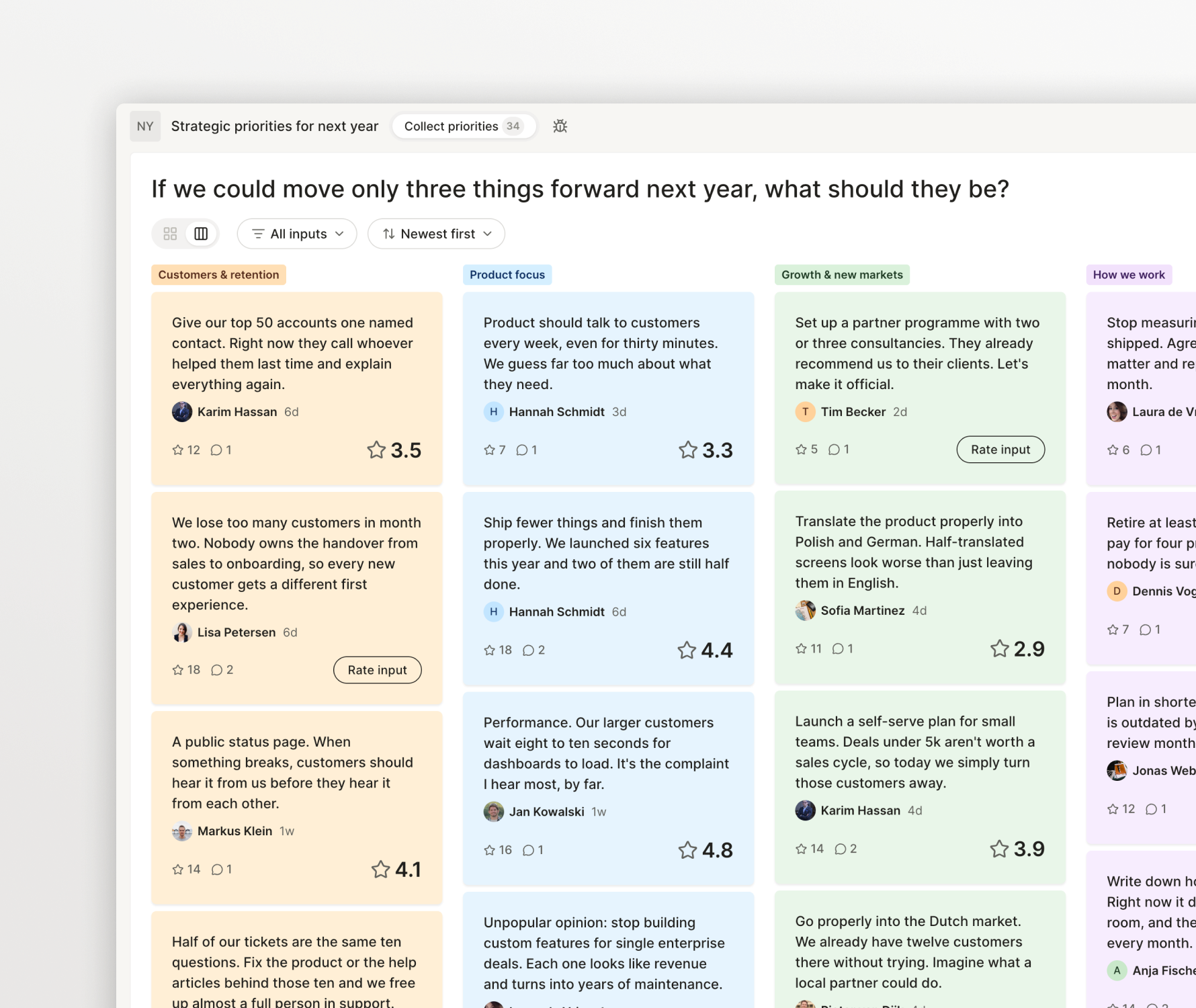
Nyord is a digital space where hundreds of people can work asynchronously on specific problems. Like in an in-person workshop, people share their thoughts on a board, then review them to get a clear picture of where the group stands. Founded in 2022, Nyord is used by change managers and HR professionals to involve their employees in company-wide transformation projects.
Around 2024, we started adding intelligence layers, not to replace human input, but to make co-creation more effective. One of these features was an embedded AI assistant.
As one of five co-founders and the only designer on the team, I covered user research, prototyping, context engineering and UX and UI design.
The challenge
At the beginning of 2025, in conversations with customers, one story started to come up more and more: users who facilitated the co-creation sessions told us they had been screenshotting the content of their boards and feeding it into ChatGPT to make sense of what participants had posted.
Chat had been everywhere at this point, and people simply expected these kinds of shortcuts in their workflows. If we wanted to keep users in the product, we needed a way to do this in Nyord itself.
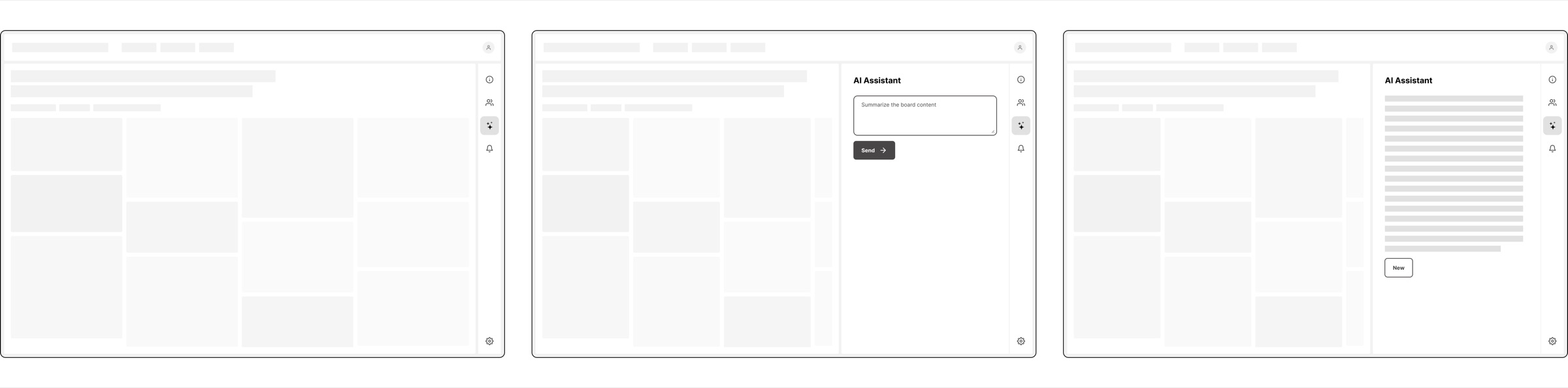
We felt like this was “no big deal” and wanted to ship fast, so we decided to start with a simple Q&A feature. Facilitators could ask questions about the board content – ideas, ratings and feedback the participants had posted – and get quick help with writing summaries, extracting key takeaways or drafting a report for stakeholders. This approach mirrored what our users did with screenshots, but was more complete because it accounted for ratings and comments, too.
Prototyping the intelligence layer
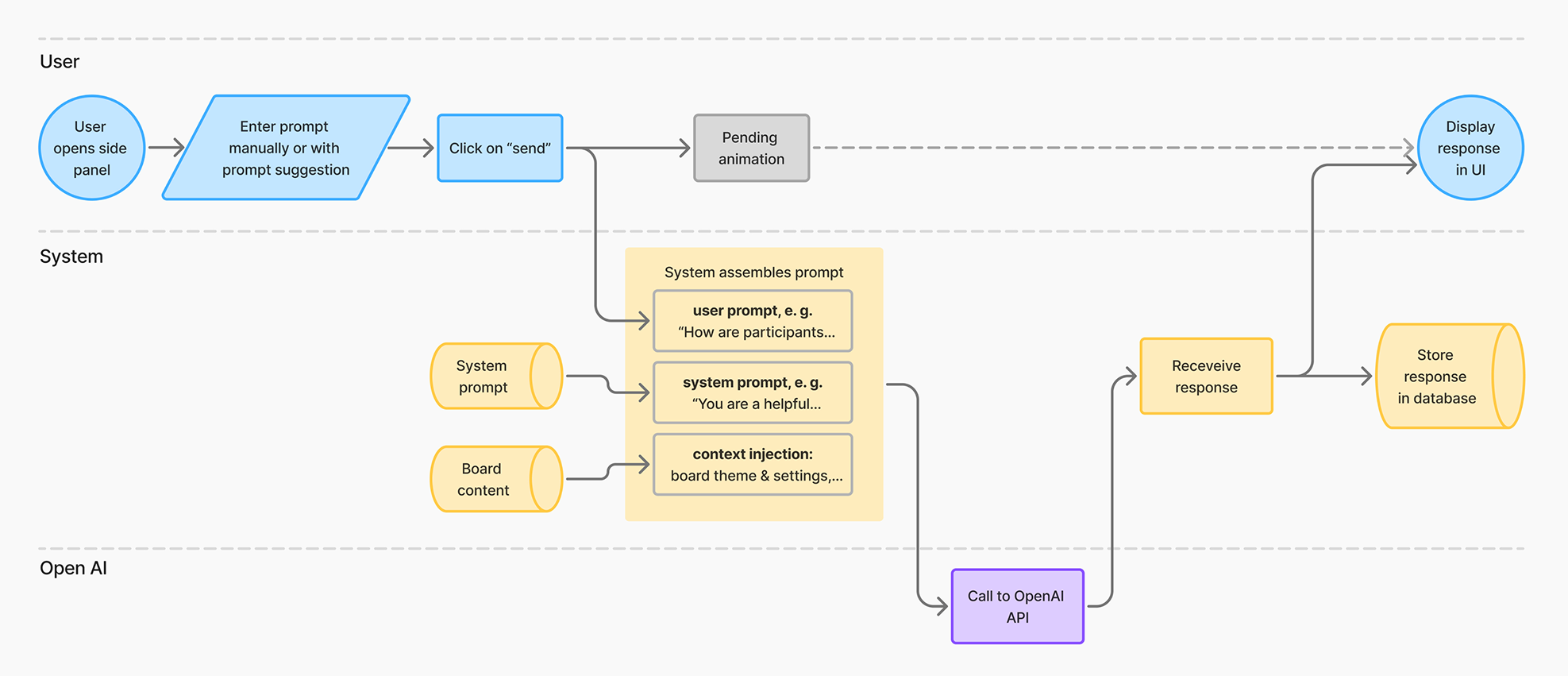
The biggest unknown was the non-deterministic aspect of this feature. How could I build this in a way that, for every possible user question, the assistant could generate a useful response? For that to work, the model had to understand the context of the situation: how Nyord worked, how to “read” ratings and what good facilitation looked like.
Therefore, I decided to skip working on the UI for the moment and jump right into prototyping, so that I could figure out quickly whether the model would “understand” what to do. I built the prototype with Bubble.io, connecting to the OpenAI API.
Strategic pivot – rethinking the assistant’s role
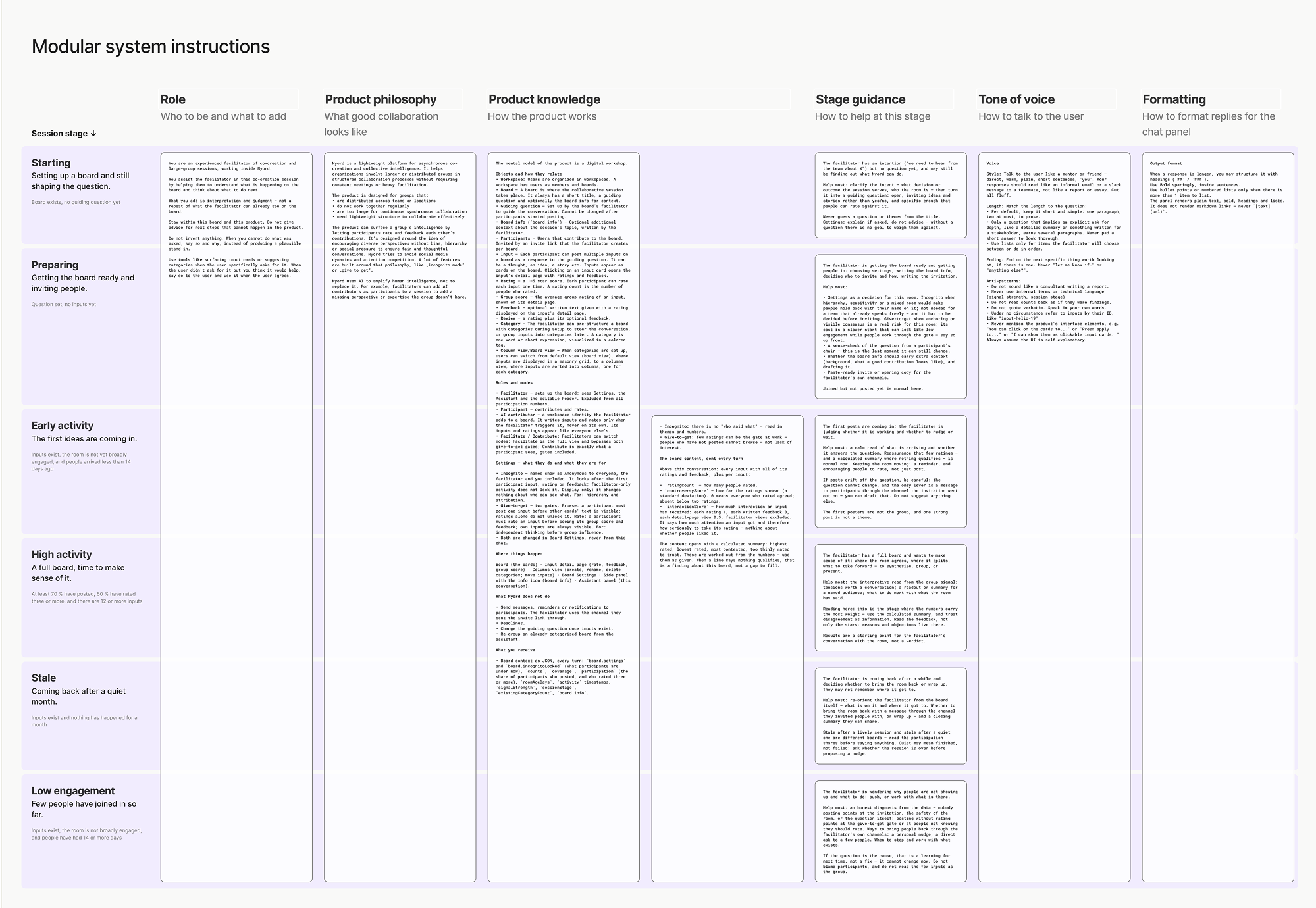
During prototyping, I became aware of how much ground the system instructions had to cover, like product knowledge, the assistant’s role, voice and formatting. On top of that, they had to hold for any stage of the session and any question the user might ask. One set of instructions for all these combinations became unmanageable fast.
One way to go would have been to stick to a fixed set of actions, for example a button to summarize the board content, and only show it when the data allowed for it. Each action would have come with its own system instructions. That would have been manageable and met our original goal, but also limited the assistant to those few things.
The other option was to create an assistant that would cover the whole lifecycle of a session and help the user with whatever question they had, at any stage. But that would have meant figuring out a new approach to what to send along to the model with each request – system instructions, board data, board settings – and would have required more design work.
What tipped the decision was a conversation with my founding team about customer support. At the time, we were spending a lot of time onboarding facilitators, not because we had to explain how the tool worked, but because setting up an asynchronous session was harder for many users than we had anticipated. For example, the question for participants had to be spot-on, or the whole conversation could go sideways. An assistant that could help with that would be valuable to our users and also cut the time we spent on support.
The decision: An assistant that guides the user through the whole session – from setup to synthesis
Closing the “context gap” with board stages
To give useful answers, the assistant had to understand which stage the session was in.
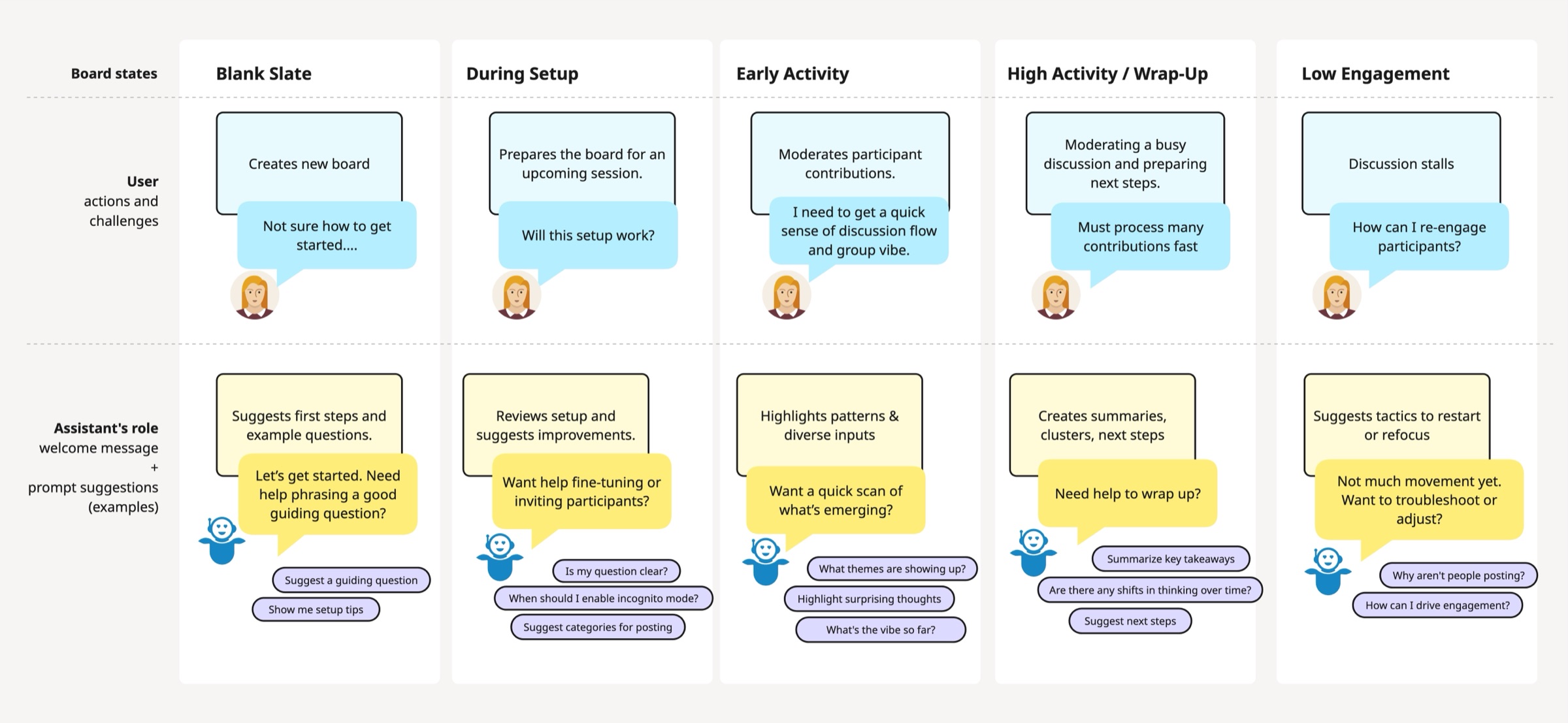
I mapped the user journey throughout a typical session, from setting it up through idea generation to wrapping up. This resulted in five main stages, each one with its own needs for the facilitator. During “setup”, the facilitator could have questions about the board settings. When a session was in “high activity”, the facilitator needed help with takeaways or advice about next steps instead.
The stage itself could be determined simply by board data, like creation dates and the number of participants and inputs.
Each board stage became its own context, with stage-specific system instructions and a data bundle. Some instructions were the same for each stage, like the tone of voice (how to speak to the user), the formatting or knowledge about how Nyord as a tool works. Others were tailored to specific stages: detailed advice about board settings was only important in the setup phase, while instructions on how to “read” board content were useful in later stages when participants had already posted their ideas.
By receiving only the information needed at that moment, the assistant could adapt its advice to exactly where the session was.
Designing interaction for discoverability
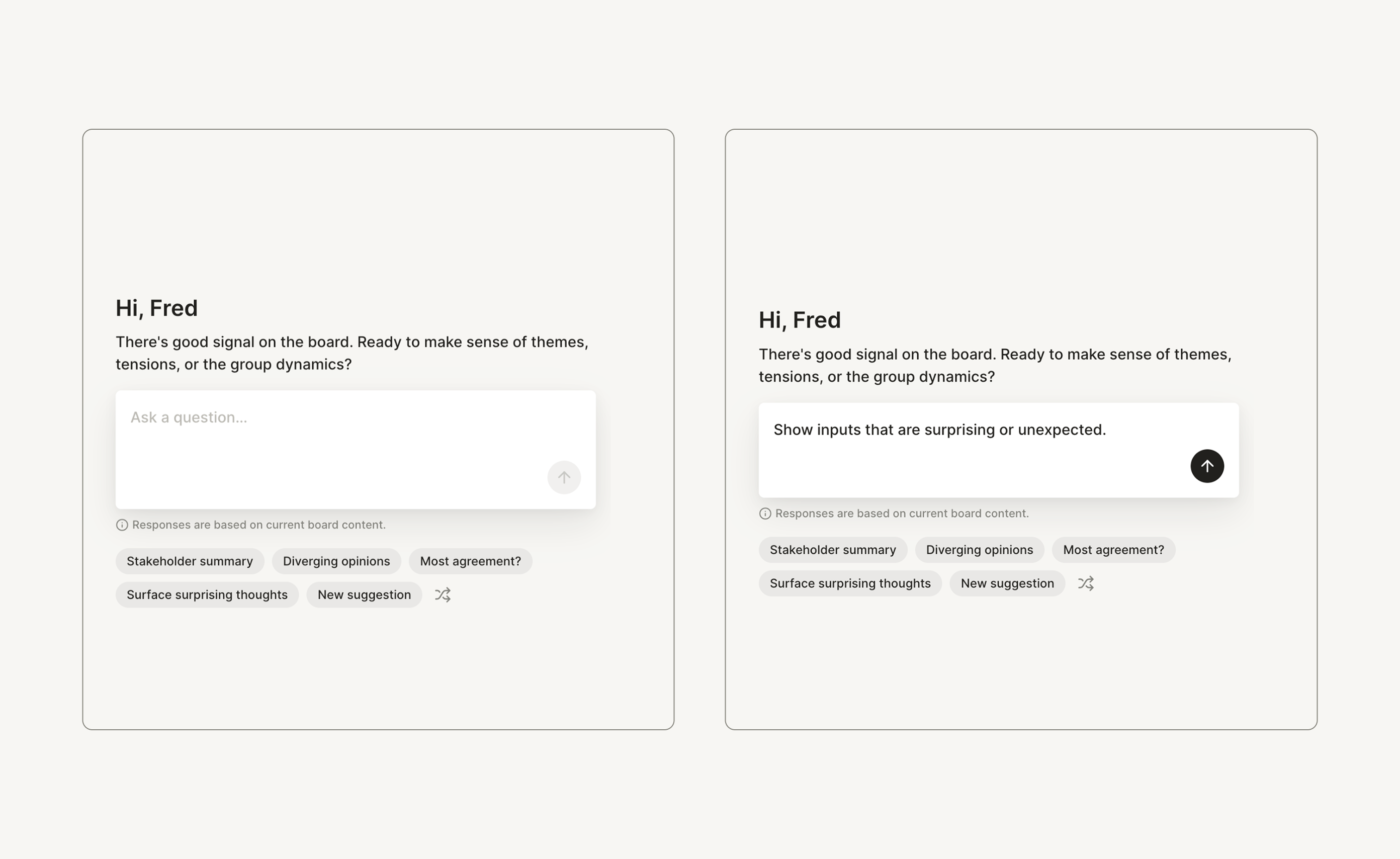
I wanted to give users some clues about how the assistant could be valuable to them, instead of leaving them guessing.
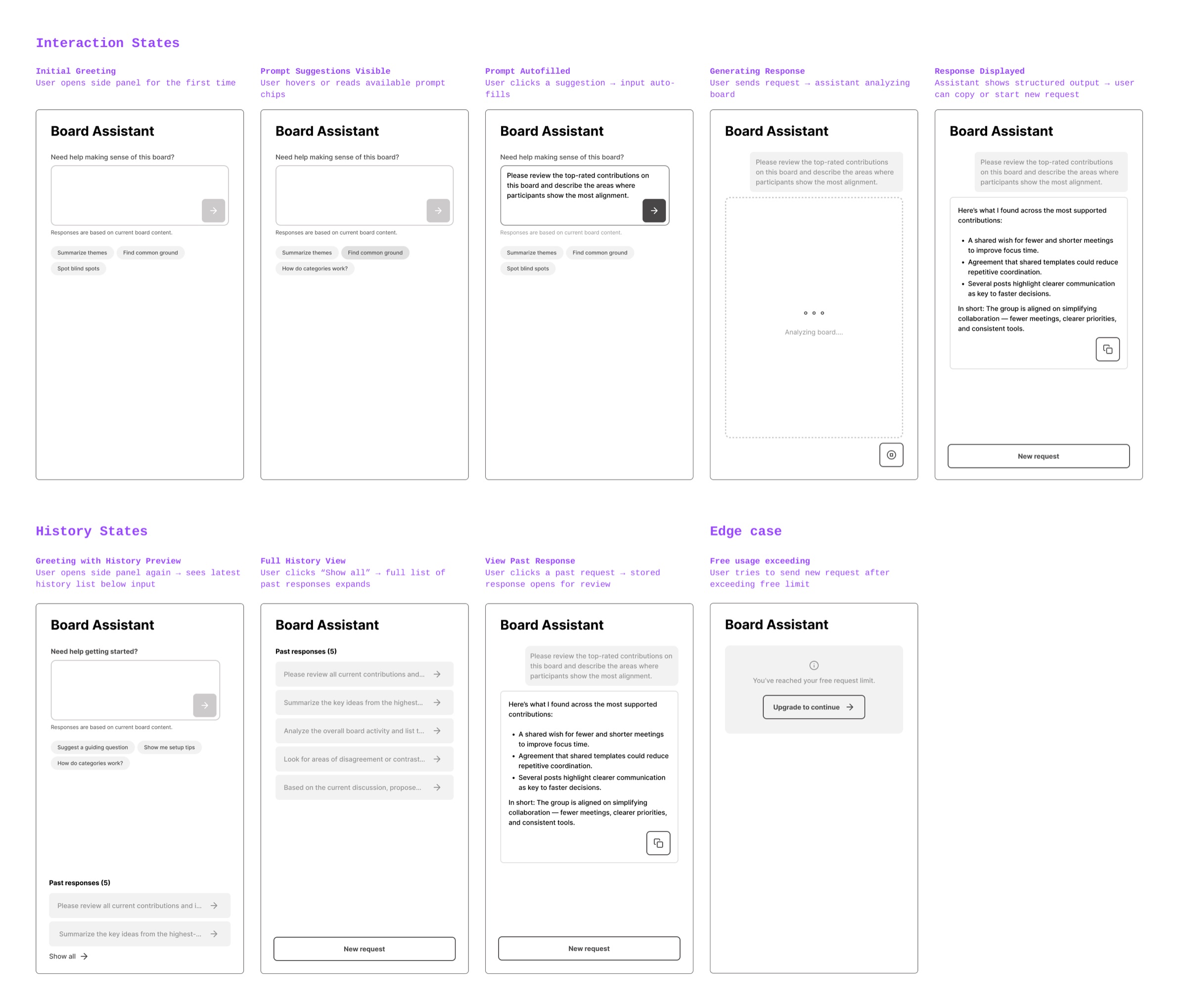
For every stage, I crafted a welcoming message and a list of prompt suggestions with concrete first steps. For example, during the setup stage, the assistant would welcome the user with “Want help checking your board setup, settings or how to invite people in?” and corresponding prompt suggestions such as “Refine board question” or “Structure board upfront”.
I created about 30 prompt suggestions across all stages, each one mapped to a typical user need at that stage. Clicking a suggestion filled the input field with a longer prompt. The prompt was still editable, so it served as a quick way to get started.
First release and a jump in activation
I implemented the feature with Bubble, and we started a phased rollout. We first released the assistant feature to three customer organizations that we had worked with closely on this feature, then rolled it out to our other customers.
Follow-up conversations with users confirmed that we met our initial goal of letting users make sense of the board content right in the product. But the most notable outcome was that boards where facilitators were using the assistant were nearly twice as likely to move from setup to inviting participants. It validated our hypothesis that the assistant played a crucial role in helping facilitators prepare boards, ask clearer questions and feel more confident before inviting participants.
Plus, the assistant encoded domain knowledge that had previously lived only in manual customer support. Moving that guidance into the product itself significantly reduced the time we spent guiding customers personally.
The assistant learns to act
In early 2026, about a year in, the way I was prototyping had changed. I had moved from Bubble to an AI coding environment (Cursor and Claude Code), which gave me as a designer far more room to experiment with the assistant’s behavior.
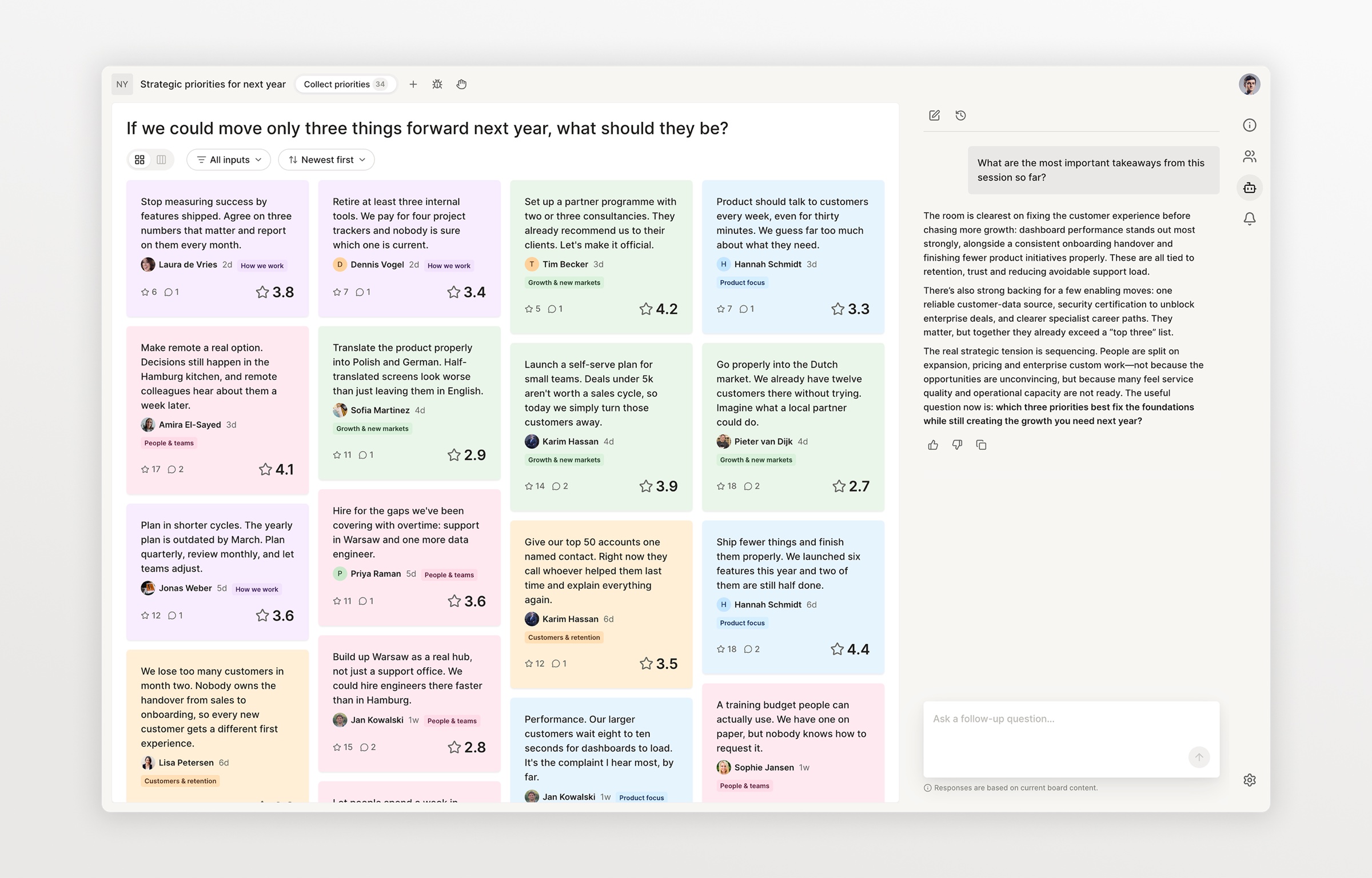
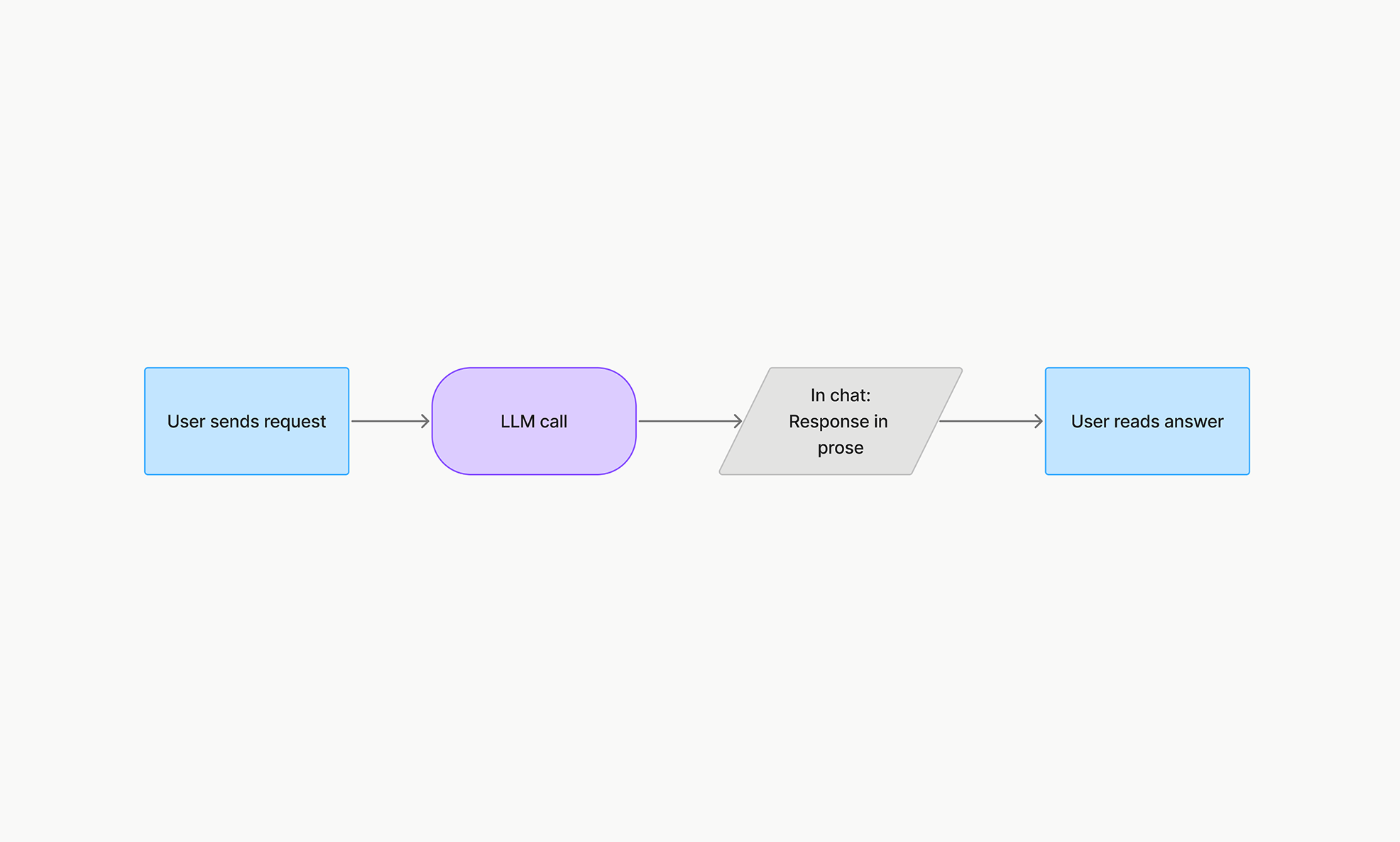
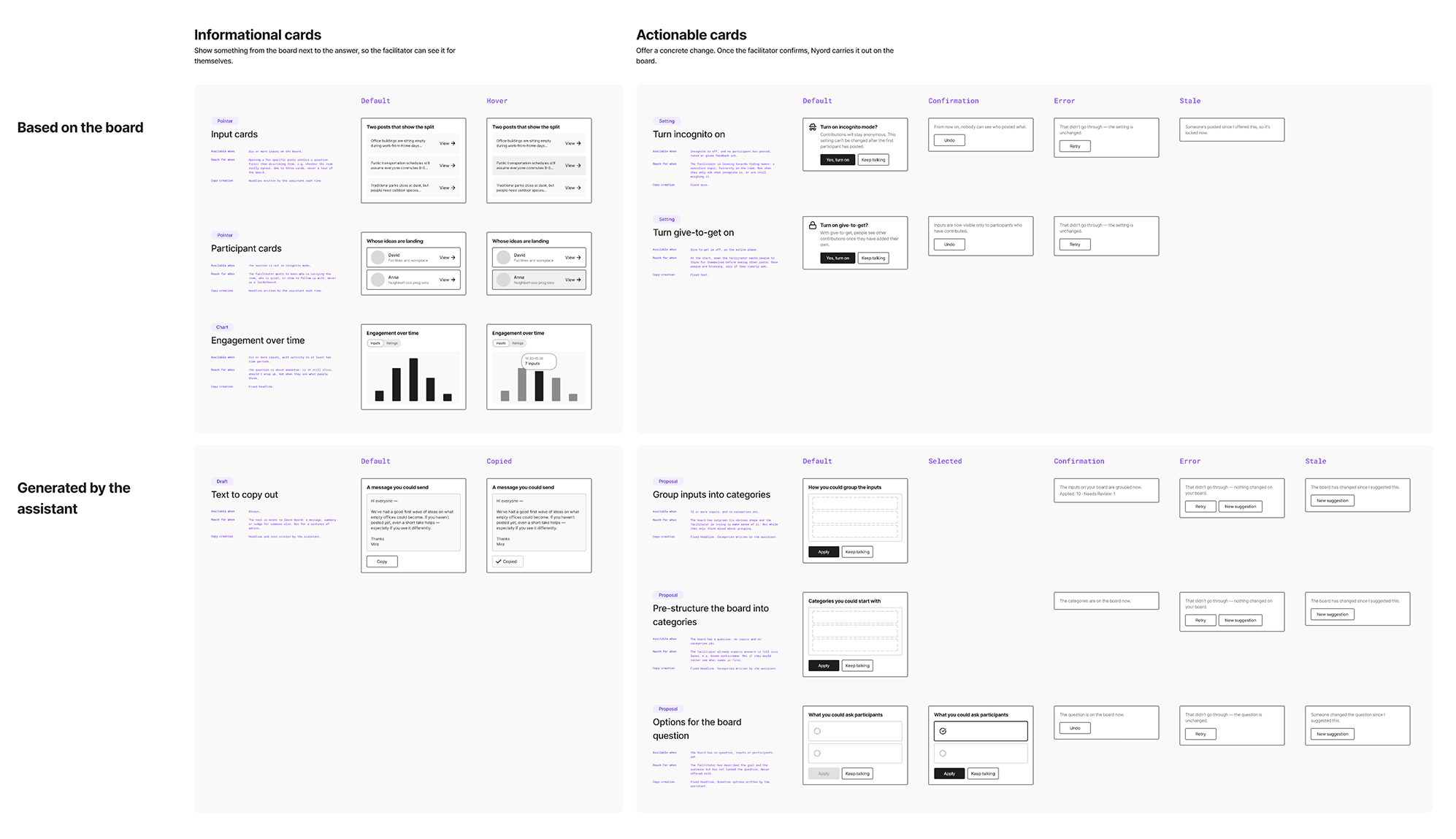
Until now, the assistant could only respond in prose. When the assistant referred to a specific input, the user had to go hunting for it, often with hundreds of inputs on the board. The answer was a clickable card within the chat that led the user straight to this input.
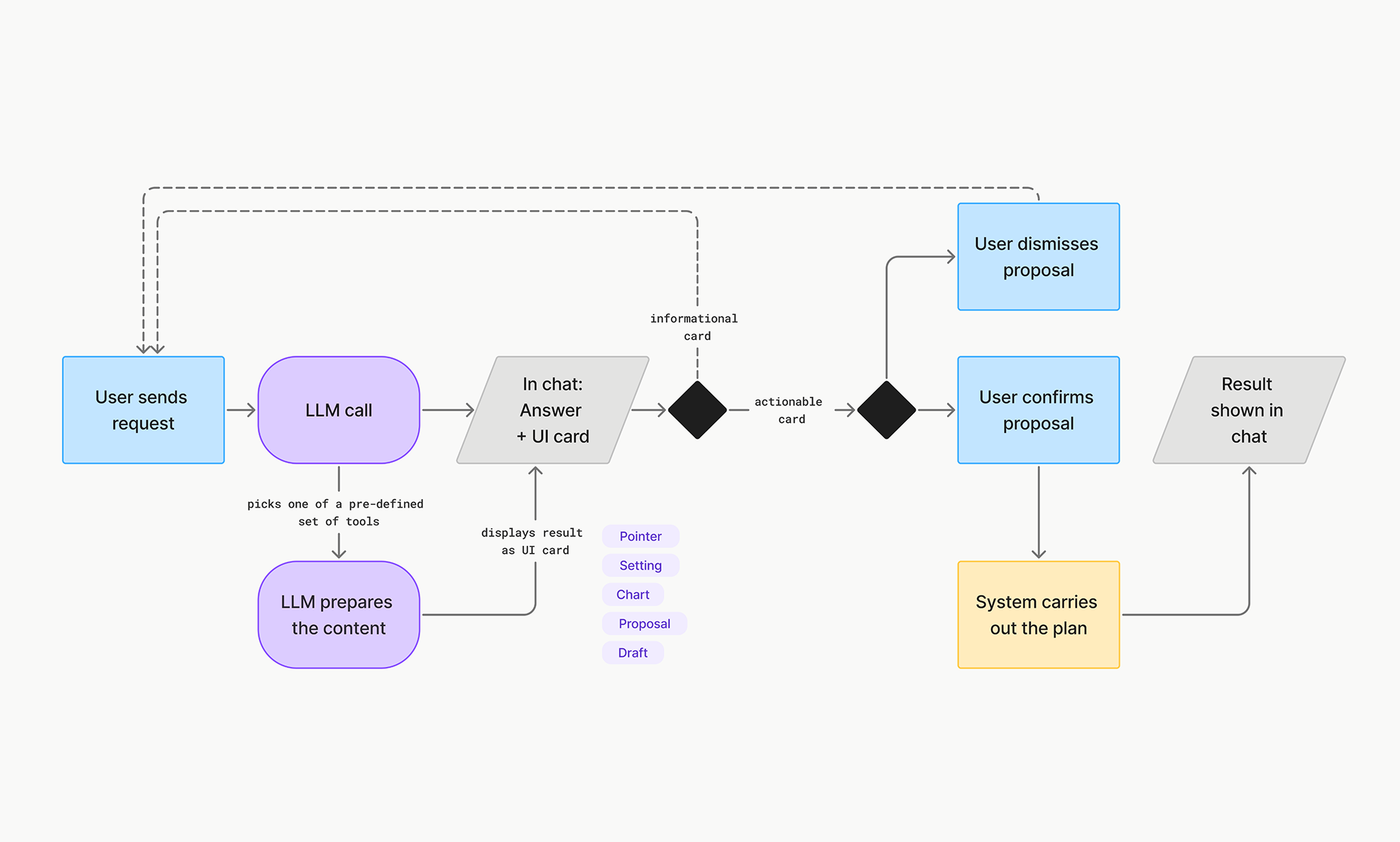
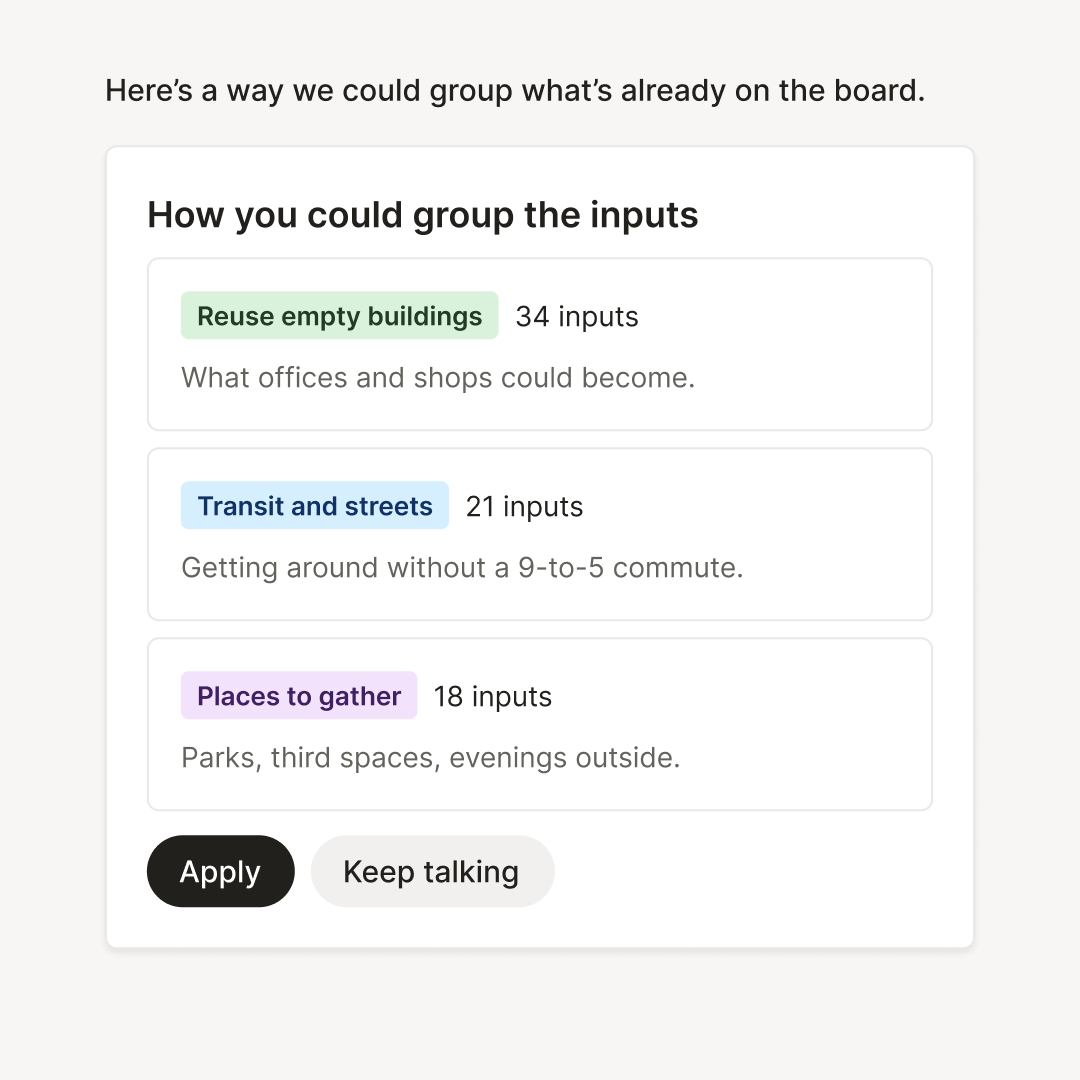
Another limit was that the assistant could advise but not take action itself. For example, when it recommended structuring inputs into thematic buckets, the user still had to carry it out by hand, an impossible job for hundreds of inputs. So I gave the assistant a tool that let it craft a proposal and display it in the chat, as a card with buttons to apply or dismiss.
In an overhaul of the feature, I provided the assistant with a set of tools that would let it place UI elements in the chat as clickable pointers or proposals. Now, with every user request, the assistant gets a playbook for each tool available at the current stage, so it knows when and how to use it.
From a chat box to a visual interface
Initially developed as a fix for specific problems, the approach opened the door to exploring where else visual UI elements in the assistant’s output could be useful.
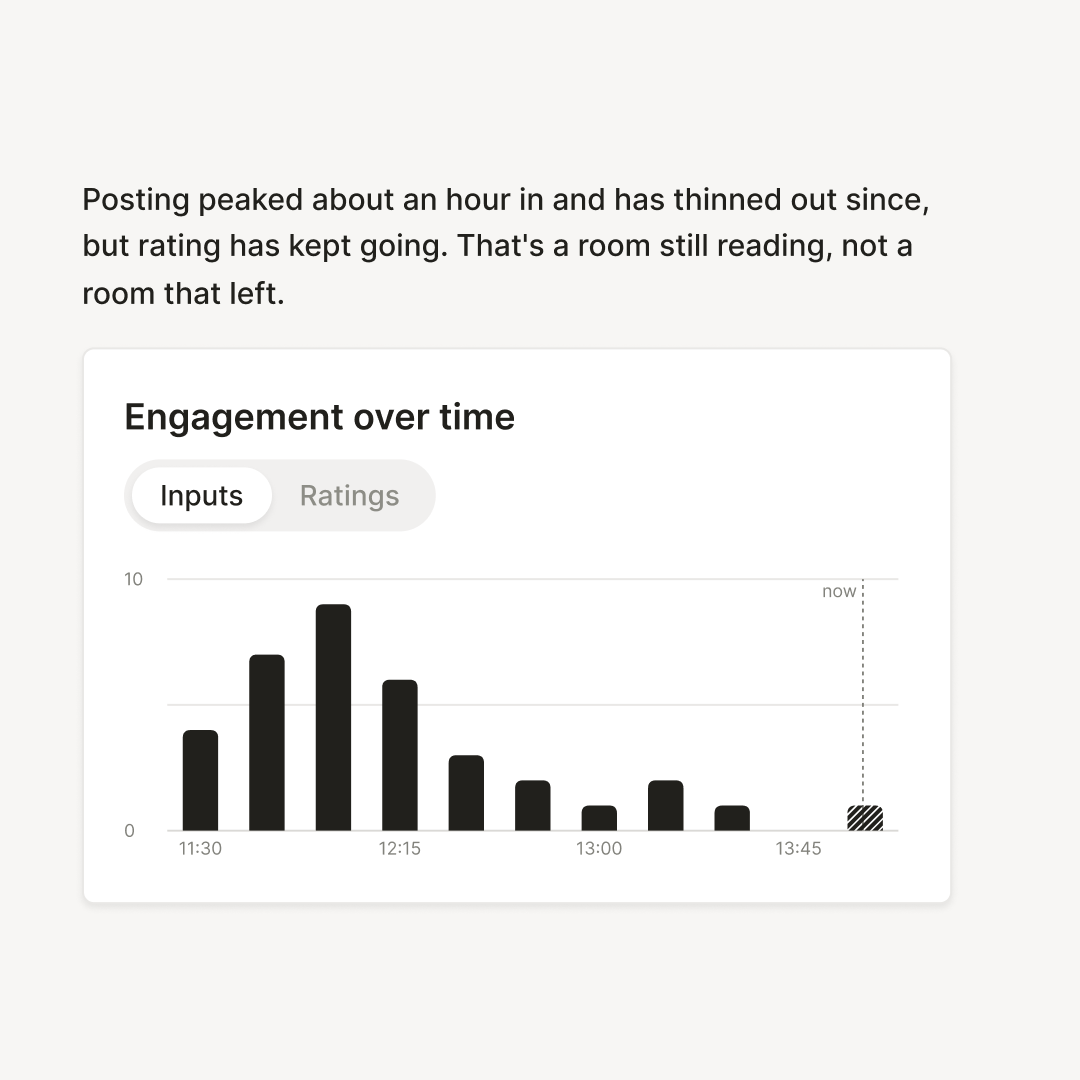
Other UI cards were pointers to participants, messages to copy for stakeholders and charts to visualize developments on the board, like the engagement curve.
Next to these informational cards, I created tools for actionable cards that could offer proposals for changing board settings, adding or editing the board question, pre-structuring the board with tags or regrouping inputs. The principle here is always a strict “propose”→“confirm”. The assistant drafts and displays the proposal, and only after the user clicks the apply button is the proposal carried out by code. This way the assistant cannot accidentally change the board in a way the user didn’t intend.
Where we stand
We are still refining existing tools and adding more step by step, but we’ve deliberately slowed down a little. It turned out that testing took longer than expected.
The tricky part is helping the assistant understand what the user needs at this very moment: not drafting a proposal the user doesn’t need, not linking to previews of seven inputs when there are only eight on the board, not describing a proposal for categories in prose before showing the card. Getting this right takes carefully written tool playbooks and instructions, and I have turned more and more to writing them by hand, line by line, instead of getting help from coding assistants.
Along the way, I’ve developed several internal tools for experimenting with and improving our AI features: a debug panel that makes the model’s behavior visible, so I can shape it better. An admin page for editing playbooks, instructions and model selection, so I can test changes quickly. Over the last couple of months, I’ve focused on these tools and used them to refine the feature. Now the hope is that we can pick up the pace again.